Available Users
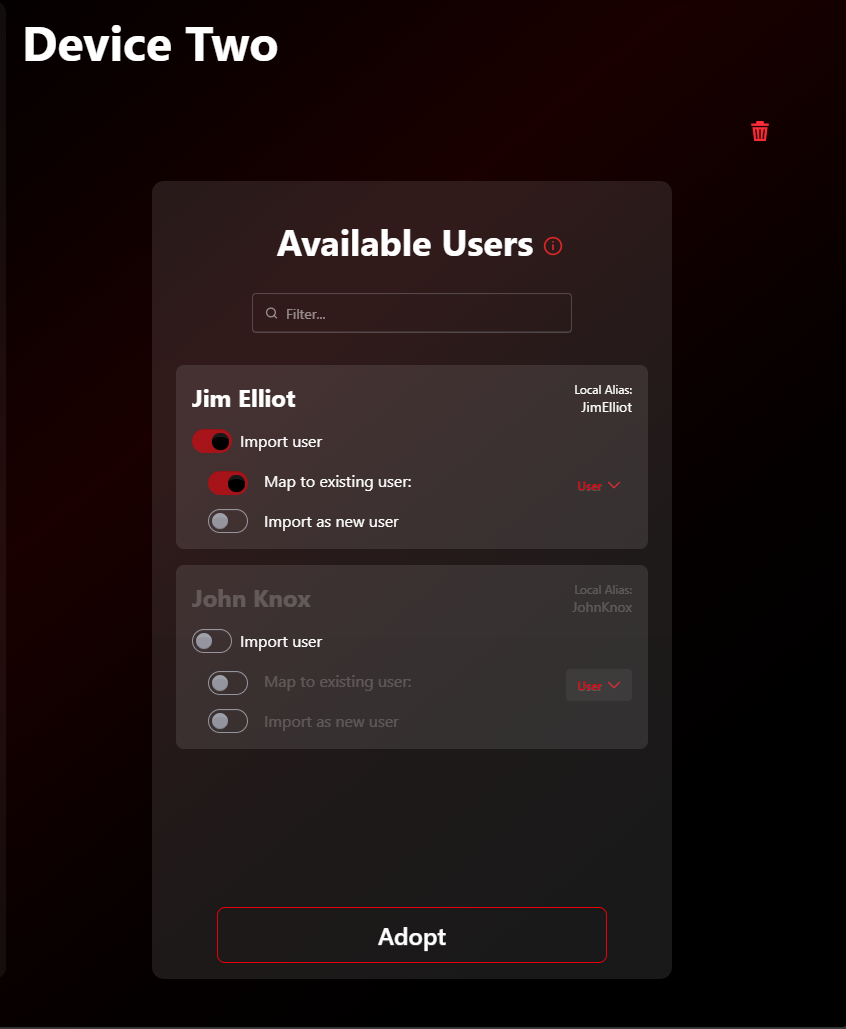
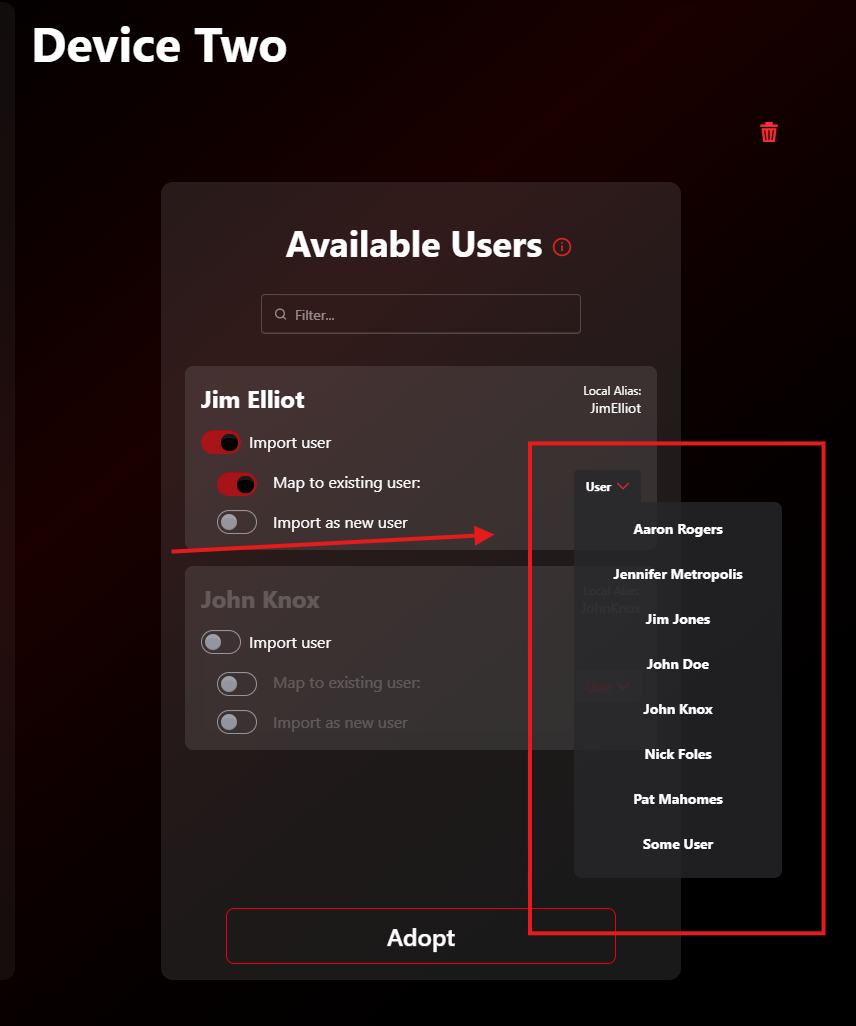
The Available Users panel lists all local users present on a device pending adoption.
Options
When adopting a new device, you can choose how to handle the local users on that device:
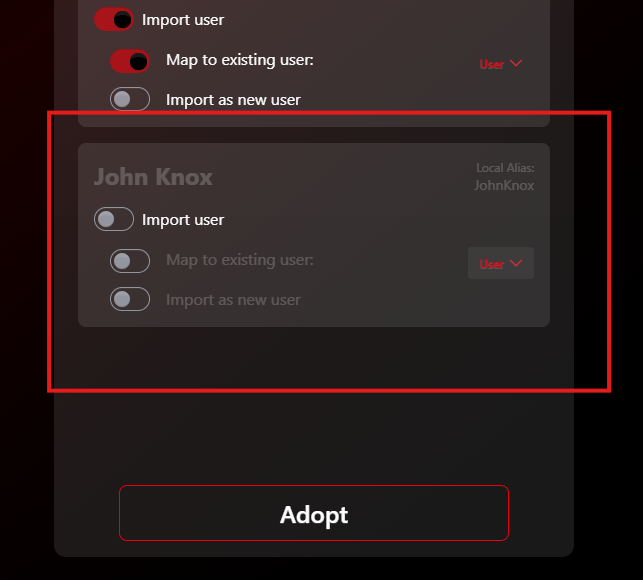
- Ignore them: The local account is not added to MicroTunnel, no token is installed, and the user will not appear in the dashboard.
Default behavior
Ignoring is the default for all available users.
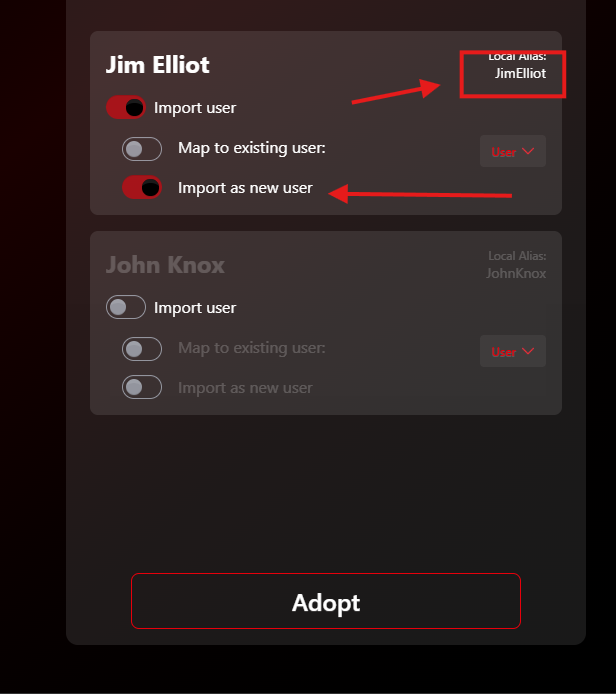
- Import them as new users: Select the toggle to create a new MicroTunnel user with the local username as the primary alias.
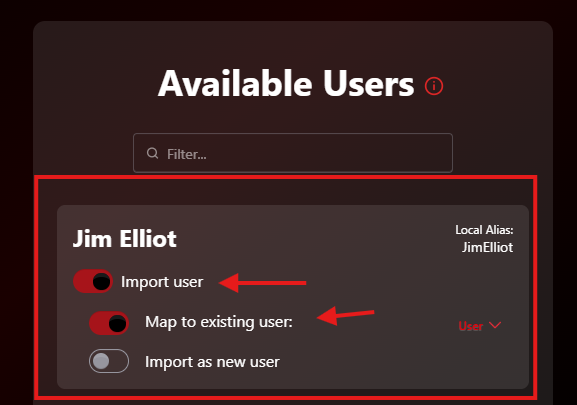
- Map them to an existing user: Select the toggle, then choose the MicroTunnel user to map the local account to.
Coming soon
We plan to add on-demand user refresh from devices and the ability to change the default state for available users.
Apply your selections
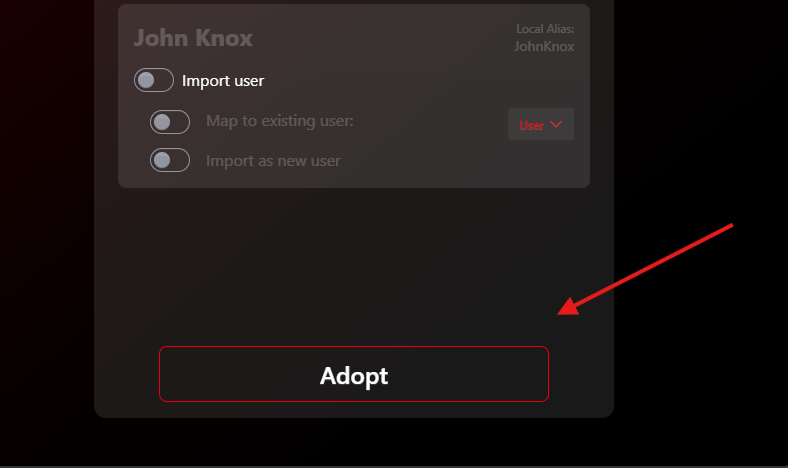
- When all users are set as desired, click Adopt to adopt the device and apply those selections to all users.
Get Started | Pricing | Book a Call | Feedback | MicroTunnel Public Roadmap